How Deep Does a Desk Need to Be? The Number Nobody Checks
Desk listings sell width. Depth decides whether your monitor can sit far enough away, and the standards put the floor at 24 inches and the target at 30.
By Ellis Warner, editor, hardware and workstation geometry
Published Sep 13, 2026 · 12 min read
- Updated September 13, 2026
- 12 min read

In this guide
- What the standards actually require
- The arithmetic that gets you from a standard to a desk
- Measure your own in four minutes
- The monitor arm is a depth tool before it is a height tool
- Clearance underneath is a different number
- What to do with a desk that is already too shallow
- Two cases that need more depth than you think
- Sources
Almost every desk is sold on its width. Sixty inches, forty-eight, the small one that fits the alcove. Width decides how much stuff fits. Depth decides whether the geometry of the workstation is possible at all, and it is the number people discover is wrong after the desk is assembled and the monitor is on it.
The failure is quiet. You end up with the screen pushed back against the wall, still too close, and you spend the day at a viewing distance that no published standard would accept. Nothing hurts on day one. It hurts in month three, and by then the desk feels like a fixed feature of the room rather than the thing that caused it.
Here are the published numbers, the arithmetic that turns them into a desk depth, and what to do if the desk you already own is too shallow.
What the standards actually require
Four sources give a figure, and they agree more than they disagree.
| Source | What it specifies | The number |
|---|---|---|
| OSHA Computer Workstations eTool | Work surface depth must allow the monitor to sit directly in front of you | At least 20 in (50 cm) of viewing distance |
| ANSI/HFES 100-2007 | The monitor support must let the user adjust viewing distance across a range | 50 to 100 cm (19.7 to 39.4 in) |
| Duke University workstation standards | Minimum work surface depth for viewing distance and a keyboard tray | 24 in minimum |
| University of California workstation requirements | Top work surface depth, to allow an adequate focal distance adjustment range | At least 30 in, less 1 in for the pinch point |
The important word in the ANSI line is range. The standard does not ask for a workstation that achieves 20 inches once. It asks for one where the user can move the screen anywhere between roughly 20 and 39 inches, because the right distance depends on the person, the screen size and the text they are reading. A desk that can only just reach the bottom of that range has failed the requirement even though it hits the OSHA minimum.
That distinction is the whole reason two credible institutions publish two different numbers. Duke's 24 inches is the floor below which the setup does not work. The University of California's 30 inches is the depth at which the adjustment range exists.
The arithmetic that gets you from a standard to a desk
Viewing distance is measured from your eye to the front surface of the screen. Desk depth is measured from the front edge to the back. Those two lines do not start in the same place, and the gap between them is where people lose four inches without noticing.
Working from the back of the desk forward, three things consume depth:
The monitor stand. This is the big one, and it is published. A Dell UltraSharp U2723QE, an ordinary 27-inch office monitor, is 185.00 mm deep with its stand, which is 7.28 inches. The panel by itself is 54.33 mm, or 2.14 inches. The stand is therefore eating roughly five inches of desk that never appears in any listing, and the base is 268 mm across on top of that.
The screen face position. Whatever depth remains in front of the panel is what you have to play with.
Your own setback. Your eye is not at the front edge of the desk. It sits behind it, above a torso that is behind it, and for most seated adults that is a few inches. Measure it rather than guess it, because it varies with chair depth and how you sit.
Put those together on a 24-inch desk. Subtract the 7.28-inch stand footprint and the screen face lands about 16.7 inches back from the front edge. Add a modest eye setback and you arrive somewhere just past the 20-inch OSHA minimum with nothing left over. You have satisfied the floor and none of the range.
The same monitor on a 30-inch desk leaves about 22.7 inches of clear surface in front of the screen face. Now sliding the monitor forward and back moves the viewing distance across most of the ANSI band, which is what the standard was asking for.
Measure your own in four minutes
Work normally for ten minutes before you measure anything. A measurement taken while you are sitting deliberately well describes a posture you do not hold.
1. Desk depth. Front edge to back edge, at the point where the monitor sits.
2. Your setback. Sitting as you actually sit, drop a plumb line or hold a ruler vertically at the front edge of the desk and measure horizontally back to the outer corner of your eye.
3. Screen face to front edge. Horizontal distance, not along the desk surface if the desk is at an angle.
4. Add steps two and three. That total is your real viewing distance. Under 20 inches and you are outside the OSHA minimum. Between 20 and 24 and you are inside the letter of it with no room to adjust.
If step four comes out short and step one is 24 inches or less, the desk is the constraint and no amount of rearranging fixes it. That is a useful thing to know, because the fix is cheap and it is not a new desk.
The monitor arm is a depth tool before it is a height tool
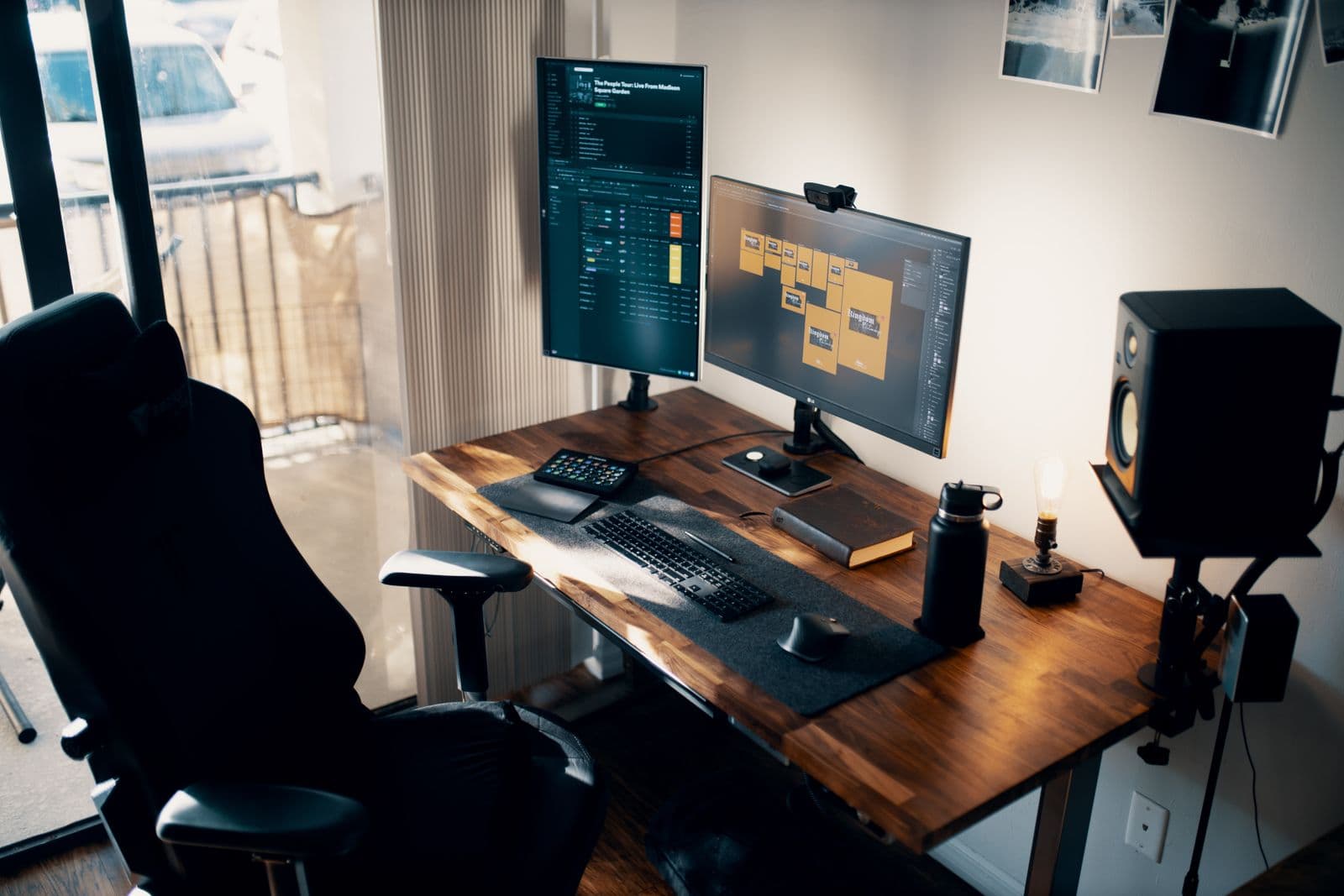
Most people buy a monitor arm to raise a screen. The more valuable thing it does is give back the stand footprint.
An arm clamps at the rear edge and holds the panel out over the desk with nothing underneath it. The Ergotron LX desk mount, to take a published example, attaches to an edge between 0.4 and 2.4 inches thick and occupies a small strip of that edge rather than the seven-inch pad a stand needs. The panel can then sit at the very back of the surface, and the arm's extension moves it forward through a range instead of parking it at one distance.
On a 24-inch desk that swap is worth close to five inches of viewing distance, which is the difference between scraping the minimum and having somewhere to adjust to. This is the case where the reach and clamp specification on a monitor arm matters more than its price, because reach is the thing you are buying.
Clearance underneath is a different number
A desk can pass on top and fail below. ANSI/HFES 100-2007 specifies the clearance separately, and the figures are not the same as the work surface ones.
| Clearance | ANSI/HFES 100-2007 requirement |
|---|---|
| Width | 52 cm (20.5 in) |
| Depth at knee level | 44 cm (17.3 in) |
| Depth at foot level | 60 cm (23.6 in) |
| Height at the edge nearest you | Adjustable 50 to 72 cm (19.7 to 28.3 in) |
| Height at the knee position | Adjustable 50 to 64 cm (19.7 to 25.2 in) |
| Height at the foot position | At least 10 cm (3.9 in) |
Note that the required depth at foot level, 23.6 inches, is very nearly the whole depth of a 24-inch desk. A crossbar between the legs, a pedestal drawer unit or a stored computer tower will breach it, and the consequence is that you sit further out from the desk than you meant to. Sitting further out adds to your setback, which adds to your viewing distance, which sounds helpful until you notice you are now reaching for the keyboard with your arms extended and your shoulders forward.
OSHA makes the same point from the other direction and adds two free fixes: remove the centre drawer of a conventional desk to recover thigh clearance, and stop storing the tower underneath.
What to do with a desk that is already too shallow
None of these cost anything.
Use the corner. OSHA's own guidance notes that a corner rather than a straight run of desk provides additional depth for large monitors. The diagonal is longer than either side. If you are buying a corner desk for this, check its lowest seated height first.
Take the stand off. An arm or a wall mount recovers the footprint, as above. A cheap VESA arm on a shallow desk buys more than an expensive monitor on a deep one.
Move the keyboard off the surface. A tray takes the keyboard and mouse below the desktop, and every inch the keyboard is not occupying is an inch the screen can use. Duke's 24-inch minimum is explicitly stated as covering viewing distance and room for a keyboard tray, which tells you how those two demands compete. Where the mouse ends up matters more than most people expect, and the position of the mouse is the usual cause of one-sided shoulder ache.
Sit back, deliberately. If clearance underneath allows it, moving the chair back an inch is an inch of viewing distance. It only works if your arms still reach the keyboard without your shoulders coming forward, which is why this one is last.
Two cases that need more depth than you think
Dual monitors. Two screens side by side are usually treated as a width problem. They are a depth problem. Keeping both within the 35-degree horizontal band means pushing them further away, and angling them inward pushes their inner edges forward into the desk. The geometry of a two-screen setup is where most desks run out of room before they run out of surface.
Standing desks. Depth does not change when the desk goes up, and it is decided once, at purchase, by the desktop you pick rather than by the frame. It is worth settling before you order, alongside the height range, because the desktop is the part you cannot swap later without buying another one. The measurements to take before ordering a sit-stand desk include this one, and it is the one most often left out.
Depth gets the screen far enough away. Height decides what your neck does with it, and the two are independent. The five published targets for monitor height are the other half of this, and getting depth right without height is a job half done.
Questions people actually ask
How deep should a desk be?
Treat 24 inches as the minimum and 30 inches as the target. Duke's workstation standards set 24 inches as the floor for adequate viewing distance plus a keyboard tray, and the University of California requires at least 30 inches of top work surface so that the viewing distance can be adjusted across a range rather than fixed at one value.
Is a 24 inch deep desk too shallow?
It is usable and it is tight. With an ordinary 27-inch monitor on its factory stand, a 24-inch desk puts you at roughly the 20-inch OSHA minimum viewing distance with no adjustment left. Adding a monitor arm recovers about five inches and makes the same desk comfortable.
Does a monitor arm really save desk space?
Yes, and the figure is published. A 27-inch Dell UltraSharp is 7.28 inches deep with its stand and 2.14 inches without it. An arm clamps to the rear edge and holds the panel out over the surface, so the footprint the stand needed becomes usable depth.
How much leg room should there be under a desk?
ANSI/HFES 100-2007 requires 20.5 inches of width, 17.3 inches of depth at knee level and 23.6 inches of depth at foot level, with at least 3.9 inches of height at the foot. A crossbar or a pedestal drawer unit is the usual thing that breaks the foot-level figure.
What if my desk is against a wall and I still cannot get far enough away?
The stand is almost always the reason. Remove it in favour of an arm or a wall mount, move the keyboard to a tray, and use a corner rather than a straight run if you have one. If all three are already done and the distance is still short, the desk depth is the constraint.
Sources
- OSHA Computer Workstations eTool, Desks, for the 20-inch minimum viewing distance, the 20 to 28 inch leg clearance height, the corner desk suggestion and the centre drawer fix.
- OSHA Computer Workstations eTool, Monitors, for viewing angle and placement guidance.
- ANSI/HFES 100-2007 worksurface checklist, Cornell University Department of Design and Environmental Analysis, for the operator clearance figures and the 50 to 100 cm viewing distance adjustment range.
- Standards and Guidelines for Computer Workstations, Duke University, for the 24-inch minimum work surface depth.
- Ergonomics Requirements for Computer Workstations, University of California, for the 30-inch top work surface depth requirement and the under-desk clearance figures.
- Dell UltraSharp U2723QE user's guide, for the with-stand and without-stand depth measurements.
- Ergotron LX Desk Mount LCD Arm dimensional illustrations, DIM2-056, for the clamp thickness range and arm geometry.
As an Amazon Associate we earn from qualifying purchases. We earn a commission on some links, at no extra cost to you. It never changes which products we recommend or how they score. Full disclosure

Who wrote this
Editor, hardware and workstation geometry
Ellis Warner edits A Better Posture and writes the hardware side of it: desks, chairs, monitor arms and the measurements that decide whether any of them help. He reads the specification sheet, the warranty and the returns policy in full before he reads a single review, because that is where the differences between two apparently identical products actually live.
More from EllisThe standard
How this guide was built
- Manufacturer specification sheets and warranty terms, read in full rather than summarised from a listing.
- Published clinical trials and standards bodies where they exist, cited by name and linked.
- Owner reports at volume, including the one-star reviews, which is where failure modes live.
- Every price checked against the live listing on the date printed beside it.