Dual Monitor Setup: How to Position Two Screens Without Twisting Your Neck
The 35-degree rule was written for one screen. Here is what changes with two, and the setup that keeps a second monitor from becoming a standing neck rotation.
By Ellis Warner, editor, hardware and workstation geometry
Published Aug 25, 2026 · 10 min read
- Updated August 25, 2026
- 10 min read
In this guide
OSHA's Computer Workstations eTool gives one number for how far a monitor can sit off centre before it becomes a neck problem: 35 degrees to either side. That figure was written with one screen in mind, centred in front of the person using it. Add a second monitor and the number does not stop applying, it just stops being obvious which screen it applies to.
Most people solve this the wrong way by accident. They put the two screens side by side, split the gap down the middle, and end up with neither screen straight ahead. If one monitor does 80 percent of the work, that is the one that should sit at zero degrees. The other one earns whatever angle is left over.
The 35-degree rule was written for one screen
The OSHA guidance states plainly that monitors should not be farther than 35 degrees to the left or right of straight ahead, alongside the companion figure that the centre of the screen should sit 15 to 20 degrees below horizontal eye level. Both numbers assume a single monitor, centred on the person's forward gaze.
There is no OSHA subsection for multiple monitors. The eTool does not tell you how to split 35 degrees across two screens, because from a human-factors standpoint it does not need to: the rule still means "the screen you actually look at should be inside this range." It is just that with one monitor, "the screen you look at" is unambiguous, and with two it is a choice you have to make on purpose.
A West Virginia University study sponsored by NIOSH, published in IIE Transactions on Occupational Ergonomics and Human Factors and archived at CDC Stacks, looked directly at this question: how a dual-monitor arrangement changes three-dimensional head and neck posture and neck muscle activity compared with a single screen. The existence of a measurable difference is the finding worth taking from it, even without repeating a specific number from an abstract that sits behind a publisher paywall. Two screens change how your head and neck hold themselves through a working day, in a way one screen does not, and the direction of that change depends entirely on how the two screens are arranged.
Primary and secondary, not left and right
The mistake in the paragraph above, symmetric centring, treats both monitors as equally important. For almost nobody are they. One screen carries the work you look at continuously: the document, the code editor, the call. The other holds something you glance at: a chat window, a second reference, an inbox. Those are different jobs, and they should sit at different angles.
Identify which monitor is primary before you touch either arm. Primary is not "the bigger one" or "the one in the middle." It is the one your eyes return to by default when nothing specific is competing for attention. If you cannot tell, watch yourself for an hour: the monitor your neck faces when you are simply thinking is the primary.
Put the primary screen at zero degrees. Dead centre, facing you the way OSHA's single-monitor guidance describes: top of the screen at or slightly below eye level, centre 15 to 20 degrees below horizontal.
Give the secondary screen whatever angle is left inside the 35-degree limit. If your desk and the arms allow it, keep the secondary within that range rather than treating 35 degrees as a target to hit. A secondary monitor at 20 degrees that you check for two minutes an hour is a non-issue. The same secondary monitor treated as co-equal with the primary, and glanced at every thirty seconds, is the setup that produces one-sided neck ache by the third week.
| Arrangement | Typical offset per screen | What it costs you |
|---|---|---|
| Symmetric pair, split down the middle | ~17.5° each side | Neither screen is at zero, so every glance at the more-used one is a sustained rotation |
| Primary centred, secondary offset | 0° primary, up to 35° secondary | Rotation only happens for the screen you actually glance at, not the one you stare at |
| Secondary stacked above primary | 0° horizontal, steep vertical tilt | Trades neck rotation for neck extension, which is its own problem and not obviously better |
| Single ultrawide replacing two screens | 0° at centre, wide horizontal sweep at the edges | No seam between screens, but a 34-inch panel at a shallow desk depth pushes the edges past 35° anyway |
Measuring your own two-screen offset
This takes about five minutes and needs nothing but a protractor app on your phone or a printed protractor held at arm's length.
1. Sit at your normal working position and note where your torso is actually pointed. Not where the desk is pointed, where your chest is pointed. This is your zero line.
2. Measure the angle from that zero line to the centre of each screen. Hold the phone at chin height, roughly where your nose is, and read the angle to each monitor's centre.
3. Note which screen you look at more. Not which one you think is more important, which one your eyes are actually on for more of the day. If you are unsure, a rough proxy is which keyboard and mouse position you default to: people orient their whole seated posture toward the screen they use most, even without noticing.
4. Compare the more-used screen's angle to zero. If it is anywhere but close to straight ahead, that is the fix to make first, even if it means the less-used screen ends up worse off than it is now.
The arm that makes this fixable
A fixed dual-monitor mount that shares one crossbar keeps both screens locked to the same angle relative to each other, which is exactly what you do not want once you know the two screens do not deserve equal treatment. What actually solves the primary/secondary problem is two independent arms, each adjustable on its own.

VIVO Dual Monitor Desk Stand
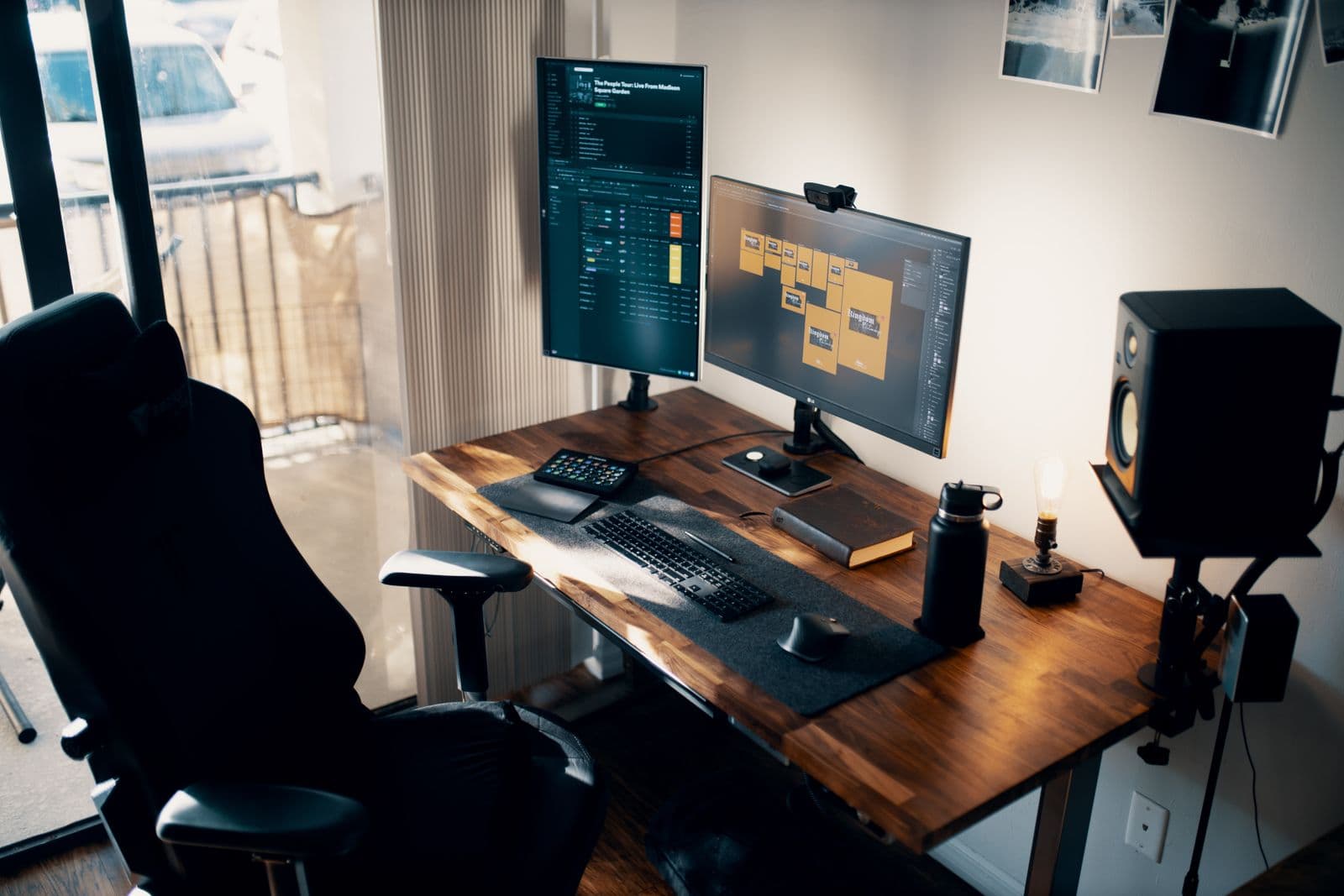
Two independent arms on a single free-standing base, which is the mechanical requirement for treating two monitors asymmetrically. The primary screen goes straight ahead at eye level, and the secondary rotates out to whatever angle keeps it inside the 35-degree limit without forcing the primary off centre to make room.
We may earn a commission on this link. It never changes the ranking.
- Type
- Free-standing dual monitor stand
- Mounting
- Weighted base, no desk clamp needed
- Adjustment
- Independent height, tilt and swivel per arm
- VESA
- 75 x 75mm and 100 x 100mm
- Best for
- Two screens used as primary and secondary
What works
- Each arm adjusts on its own, so the primary can sit dead centre while the secondary is genuinely angled away
- Free-standing base means no clamp and no desk-edge requirement
- Tilt and swivel per arm lets you correct one screen without disturbing the other
- Sits at the back of the desk rather than eating clamp space at the front
What to know
- A weighted base takes desk depth that a clamp mount frees up
- Heavier or very large panels sit better on a clamp arm
- Two arms to readjust rather than one if you move desks
- Less reach than a premium gas-spring arm for pulling a screen toward you
The full monitor arm roundup covers single-arm options too, and the other dual mounts if your two screens genuinely are co-equal and symmetric centring is the right call for your specific use.
Two other mistakes worth naming
Stacking a secondary monitor above the primary instead of beside it. This avoids horizontal rotation entirely, which sounds like a win. It replaces it with sustained upward gaze and neck extension to reach the top screen, which OSHA's own vertical-angle guidance argues against just as strongly as the horizontal one. A stacked secondary works only if it is used briefly and rarely, the same rule as a horizontally-offset one.
Rotating the secondary to portrait without checking the resulting height. Portrait orientation is genuinely useful for a secondary screen full of documents or chat, but rotating a monitor changes where its centre sits relative to your eye level. A screen that was correctly positioned in landscape is very often too high or too low once rotated, and this gets missed because the horizontal position looks unchanged.
When two screens should really be one
If your "secondary" screen is used constantly rather than glanced at, the actual problem may be that you have two primary screens and are trying to solve a one-screen problem with a two-screen setup. In that case, a single ultrawide monitor removes the seam and the discrete angle jump between two panels, at the cost of moving the edges of the screen further from centre. Monitor height for neck pain covers the ultrawide case specifically: at a typical viewing distance, a 34-inch ultrawide breaks the 35-degree rule at both edges, which argues for the far end of OSHA's 20-to-40-inch viewing distance range and, usually, a deeper desk than a two-monitor setup needs.
Before buying anything, it is worth confirming the rest of the workstation is not the actual source of the ache. Keyboard and mouse position is the more common cause of one-sided neck and shoulder pain, and it is worth ruling out first since the fix is free. If the desk itself sits at the wrong height, the desk arithmetic takes five minutes and changes what "eye level" even means for both screens at once.
Questions people actually ask
Should dual monitors be angled or flat?
Angled, and asymmetrically. The screen you look at most should sit as close to straight ahead as your desk allows, with the second screen angled out to whichever side fits your layout, up to OSHA's 35-degree limit for the screen you're actually looking at in that moment.
How far apart should dual monitors be?
Close enough that the gap between them does not force a head turn to see across it. There is no published inches figure for this; the angle each screen makes with your forward gaze matters more than the physical distance between the frames.
Is a single ultrawide monitor better than two monitors for posture?
It removes the discrete jump between two screens at different angles, which helps if you split attention evenly. It does not remove the angle problem entirely, since the edges of a large ultrawide can exceed 35 degrees from centre at a normal viewing distance.
Should my second monitor be higher or lower than my primary?
Whatever height keeps its centre close to your eye level if you look at it directly and often. A rarely-used secondary can sit lower without much cost, since you are not holding your head toward it for long stretches.
Can a shared dual-monitor mount work if I use both screens equally?
Yes. The independent-arm case in this guide is specifically for a primary-and-secondary setup. If both screens genuinely get equal use, a shared-crossbar arm that keeps them aligned and symmetric around centre is simpler and cheaper.
Sources
- OSHA Computer Workstations eTool, Monitors, for the 35-degree horizontal offset and 15-to-20-degree vertical angle guidance.
- Nimbarte, A.D., Alabdulmohsen, R.T., Guffey, S.E., Etherton, J.R., "The Impact of Use of Dual Monitor Screens on 3D Head–Neck Posture and Activity of Neck Muscles," IIE Transactions on Occupational Ergonomics and Human Factors, Vol. 1, Issue 1 (2013), DOI: 10.1080/21577323.2012.667051, archived at CDC Stacks.
- Monitor height for neck pain, for the full set of OSHA single-monitor targets this guide extends to a two-screen setup.
As an Amazon Associate we earn from qualifying purchases. We earn a commission on some links, at no extra cost to you. It never changes which products we recommend or how they score. Full disclosure

Who wrote this
Editor, hardware and workstation geometry
Ellis Warner edits A Better Posture and writes the hardware side of it: desks, chairs, monitor arms and the measurements that decide whether any of them help. He reads the specification sheet, the warranty and the returns policy in full before he reads a single review, because that is where the differences between two apparently identical products actually live.
More from EllisThe standard
How this guide was built
- Manufacturer specification sheets and warranty terms, read in full rather than summarised from a listing.
- Published clinical trials and standards bodies where they exist, cited by name and linked.
- Owner reports at volume, including the one-star reviews, which is where failure modes live.
- Every price checked against the live listing on the date printed beside it.