Best Monitor Arms for Getting a Screen to Eye Level
Four arms compared on the specification that catches everybody out: the minimum weight, not the maximum, and clamp versus free-standing.
By Ellis Warner, editor, hardware and workstation geometry
Published Aug 11, 2026 · 8 min read
- Updated August 11, 2026
- 8 min read
In this guide
A monitor arm is the only way to put a screen exactly where the published guidance says it should go and then move it again tomorrow. A riser does height. An arm does height, depth, tilt, rotation and the desk space underneath.
The specification that decides whether one works for you is not the one on the front of the box. It is the minimum weight the arm supports, and it is the reason arms fail for people who bought the right maximum.
Why the minimum matters
Almost every arm in this category uses a mechanical spring or a gas strut tuned to a load range. The mechanism holds the screen at any height by balancing its weight against spring tension.
Balance requires a load. Below the minimum, the spring wins: the arm drifts upward and will not stay where you put it. Above the maximum, gravity wins and the screen sags.
A typical desk-mount arm is tuned for a mid-weight range. A 24-inch monitor with its stand removed is often around 6 to 8 lb, comfortably inside a common arm's window. A 32-inch monitor is frequently 13 to 18 lb, which is past the top of a light arm. And a very light portable panel can sit under the minimum, which is outside the bottom.
Weigh the monitor with the stand off, using bathroom scales, before you buy anything. It takes a minute and it is the only number that matters.
The other three things to check
VESA pattern. 75x75mm and 100x100mm are standard and almost universally included. Large monitors sometimes want 200x100mm, which is an extra adapter. Check the back of your monitor before ordering.
Desk thickness for the clamp. Clamps have a maximum, often somewhere between 1 and 3 inches, which can exclude a thick solid-wood top. Measure the edge of your desk. A free-standing stand sidesteps this entirely.
Grommet or clamp. A clamp needs a free desk edge. If your desk is against a wall with a back panel, or has a lip, a grommet mount through an existing hole may be the only option.
VIVO Single Monitor Arm

VIVO Single Monitor Arm
The default recommendation for a single screen. A full-motion gas-spring arm with 75 and 100mm VESA and a weight window that covers the great majority of 24 and 27 inch monitors. Weigh your screen against the arm's range and you are done.
We may earn a commission on this link. It never changes the ranking.
- Type
- Full-motion single monitor arm
- Mechanism
- Gas spring, tuned to a weight range
- VESA
- 75 x 75mm and 100 x 100mm
- Mount
- Desk clamp or grommet
- Best for
- A single 24 to 34 inch monitor within range
What works
- Weight range covers most 24 and 27 inch panels
- Full height, tilt, swivel and rotation
- Gas spring holds position at any point in the range
- Clamp or grommet mounting
What to know
- A heavy 32 inch panel can exceed a single arm's ceiling
- A very light panel can sit below the minimum and drift up
- Clamp needs a free desk edge
- Ultrawides push the reach limit toward you
Wrong for you if your monitor weighs more than the arm's range without its stand. That is a hard limit and no amount of tension adjustment gets round it.
VIVO Dual Monitor Arm (Clamp)

VIVO Dual Monitor Arm
Two heavy-duty arms on a single clamp, which keeps both screens off the desk while leaving each one adjustable. The clamp mount is the cheaper, lower-profile way to run two screens when your desk has an edge to grip.
We may earn a commission on this link. It never changes the ranking.
- Type
- Clamp-on dual monitor arm
- Mechanism
- Fully adjustable arms
- Mount
- One desk clamp for both screens
- VESA
- 75 x 75mm and 100 x 100mm
- Best for
- Two screens on a desk with a free edge
What works
- One clamp point for both screens, which matters on a narrow desk
- Each arm adjusts for height, tilt and swivel
- Clears the desk surface under both screens
- Heavy-duty build for mid-weight panels
What to know
- A clamp needs a free desk edge with the right thickness
- Two arms is two things to readjust rather than one
- Mid-weight rating, so weigh a heavy 32 inch panel first
- Reach is limited by the single clamp position
Wrong for you if your desk has a back panel or a lip a clamp cannot grip. That wants a free-standing stand.
VIVO Freestanding Dual Monitor Stand

VIVO Freestanding Dual Monitor Stand
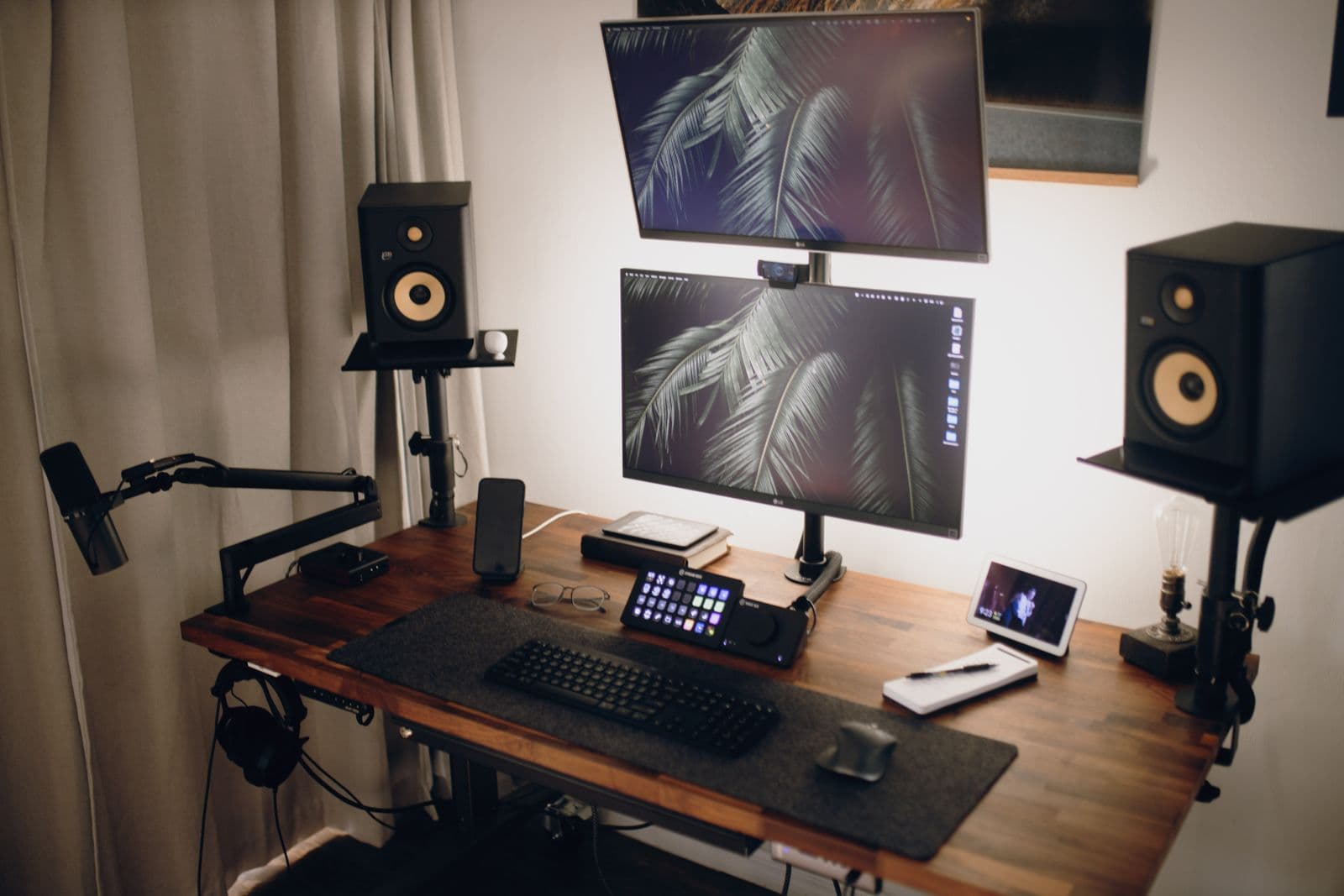
Two independent arms on a weighted free-standing base, no clamp required. It is the answer when your desk has a back panel, a lip or a surface a clamp cannot grip, and it lets you put one screen straight ahead and the other rotated to the side.
We may earn a commission on this link. It never changes the ranking.
- Type
- Free-standing dual monitor stand
- Mounting
- Weighted base, no clamp needed
- Adjustment
- Independent height, tilt and swivel per arm
- VESA
- 75 x 75mm and 100 x 100mm
- Best for
- Two screens where a clamp will not fit
What works
- No clamp needed, so it works on any desk surface
- Independent arms let one screen sit straight ahead and the other angle away
- Weighted base is stable without gripping the desk edge
- Sits at the back of the desk
What to know
- A weighted base takes desk depth a clamp frees up
- Heavier or very large panels sit better on a clamp arm
- Two arms to readjust rather than one
- Less reach than a premium gas-spring clamp arm
Wrong for you if your desk has a clean free edge and you would rather clear the whole surface. The clamp arm does that.
Amazon Basics Single Monitor Arm

Amazon Basics Single Monitor Arm
A plain height-adjustable single arm with cable management, the budget alternative to a premium gas-spring arm. It does height, tilt and swivel without the reach or the price of the pricier options.
We may earn a commission on this link. It never changes the ranking.
- Type
- Single monitor arm with cable management
- Adjustment
- Height, tilt and swivel
- VESA
- 75 x 75mm and 100 x 100mm
- Mount
- Desk clamp
- Best for
- A budget single-screen setup
What works
- Cheapest way onto an arm from a known brand
- Built-in cable management channel
- Height, tilt and swivel on one screen
- Simple clamp installation
What to know
- Less reach and articulation than a premium gas-spring arm
- Tuned to a weight range, so weigh a heavy panel first
- Clamp needs a free desk edge
- Not built for the heaviest 32 inch panels
Wrong for you if you want long reach and the smoothest full-motion travel. That is the gas-spring arm above.
Which one
One monitor in the mid-weight range: the VIVO single arm. Weigh the screen with the stand off first.
A simple budget single-screen mount: the Amazon Basics arm.
Two screens from one clamp, on a desk with a free edge: the VIVO dual arm.
Two screens on a desk you cannot clamp: the VIVO free-standing dual stand.
A monitor over the arm's range or larger than 32 inches: none of these, and check a dedicated heavy-duty range rather than assuming a bigger arm exists in this price band.
Before ordering any of them, know what height you are aiming for. The five published targets take six minutes to check, and an arm that puts the screen in the wrong place is an expensive version of the stack of books. If you have not yet sorted the desk height or where the mouse sits, those come first, because both change where the screen needs to be.
Questions people actually ask
How much weight can a monitor arm hold?
The range varies more than people expect, from a few pounds up to the high teens depending on the arm. Weigh your monitor with the stand removed before choosing, because a screen outside the range in either direction will not hold position: too light and it drifts up, too heavy and it sags.
Why does a monitor arm have a minimum weight?
Because the spring holds the screen by balancing its weight. Below the minimum there is not enough load to balance and the arm drifts upward on its own. This is the failure people do not anticipate, and it happens with very light or portable panels.
Is a monitor arm better than a monitor riser?
For height alone, no, and a stack of books is free. An arm buys depth, tilt, rotation and the desk space underneath. If your only problem is that the screen is three inches too low, the cheap fix is the correct fix.
Will a monitor arm fit my desk?
Check two things: the clamp's maximum desk thickness, often between 1 and 3 inches, and whether you have a free desk edge at all. A desk with a back panel or a front apron may need a grommet mount through an existing hole, or a free-standing stand that needs no clamp.
Do I need a VESA adapter?
Only if your monitor uses a 200 x 100mm pattern, which some larger panels do. 75 x 75mm and 100 x 100mm are standard and included with every arm here. Check the back of the screen before ordering, because the adapter is an extra on top.
Sources
- OSHA Computer Workstations eTool, for the monitor placement targets an arm is being bought to hit.
As an Amazon Associate we earn from qualifying purchases. We earn a commission on some links, at no extra cost to you. It never changes which products we recommend or how they score. Full disclosure

Who wrote this
Editor, hardware and workstation geometry
Ellis Warner edits A Better Posture and writes the hardware side of it: desks, chairs, monitor arms and the measurements that decide whether any of them help. He reads the specification sheet, the warranty and the returns policy in full before he reads a single review, because that is where the differences between two apparently identical products actually live.
More from EllisThe standard
How this guide was built
- Manufacturer specification sheets and warranty terms, read in full rather than summarised from a listing.
- Published clinical trials and standards bodies where they exist, cited by name and linked.
- Owner reports at volume, including the one-star reviews, which is where failure modes live.
- Every price checked against the live listing on the date printed beside it.