Best Laptop Stands for Posture: Four That Actually Fix the Neck Angle
A laptop's screen sits well below eye level by design. These four stands fix that angle, and one of them earns back its price the first time you fly with it.
By Ellis Warner, editor, hardware and workstation geometry
Published Sep 6, 2026 · 10 min read
- Updated September 6, 2026
- 10 min read
In this guide
A laptop's screen and keyboard are bolted to the same slab, which means you can put one in the right place or the other, never both. Put the keyboard at elbow height on a desk and the screen sits eight to ten inches below eye level. Put the screen at eye level and the keyboard rises with it, into a position no wrist tolerates for long.
A stand solves half of that problem on purpose: it raises the screen and gives up on the keyboard, which then needs its own external keyboard and mouse to work at all. That trade is the whole category, and it is why a stand bought without a keyboard plan sits in a drawer after a week.
Why the flexion angle is the number that matters
Hansraj (2014), published in Surgical Technology International, modeled the load an average head places on the cervical spine at increasing degrees of forward flexion. The paper is widely cited and also widely disputed on its modeling method, so treat the exact figures as illustrative rather than exact, but the direction is not in question: load on the neck rises fast as the head tips forward. Its reported numbers, using a roughly 13 lb head as the baseline:
| Forward flexion | Load on the cervical spine | |---|---| | 0° (neutral) | 10-12 lb | | 15° | 27 lb | | 30° | 40 lb | | 45° | 49 lb | | 60° | 60 lb |
A laptop screen used flat on a desk routinely puts the neck in that 30-45° range, because the hinge geometry caps how high the screen can go before the keyboard follows it. The Canadian Centre for Occupational Health and Safety gives the target directly: the center of the screen belongs about 15 degrees below horizontal eye level, inside a comfortable zone of plus or minus 15 degrees, and discomfort from looking too high is worse than looking slightly too low. A stand's entire job is closing that gap between where a laptop screen naturally sits and where that 15-degree line actually is.
What decides which stand is right
Fixed riser vs adjustable. A fixed-height riser like the mStand below picks one height and holds it, which is fine if you use one laptop at one desk. An adjustable stand earns its complexity back the moment you switch rooms, switch chairs, or share the desk with someone a foot taller.
Portable vs stationary. Some of these fold flat into a bag. Others are a solid aluminum block meant to live on one desk permanently. Buying the stationary block for a laptop that travels weekly is the most common mismatch in this category.
You still need an external keyboard and mouse. Every stand here lifts the screen and, with it, the built-in keyboard and trackpad out of a usable typing position. Budget for a keyboard and mouse placed at elbow height alongside any stand on this list, or the screen ends up at the right height while your wrists pay for it.
Roost V3 Laptop Stand

Roost V3 Laptop Stand
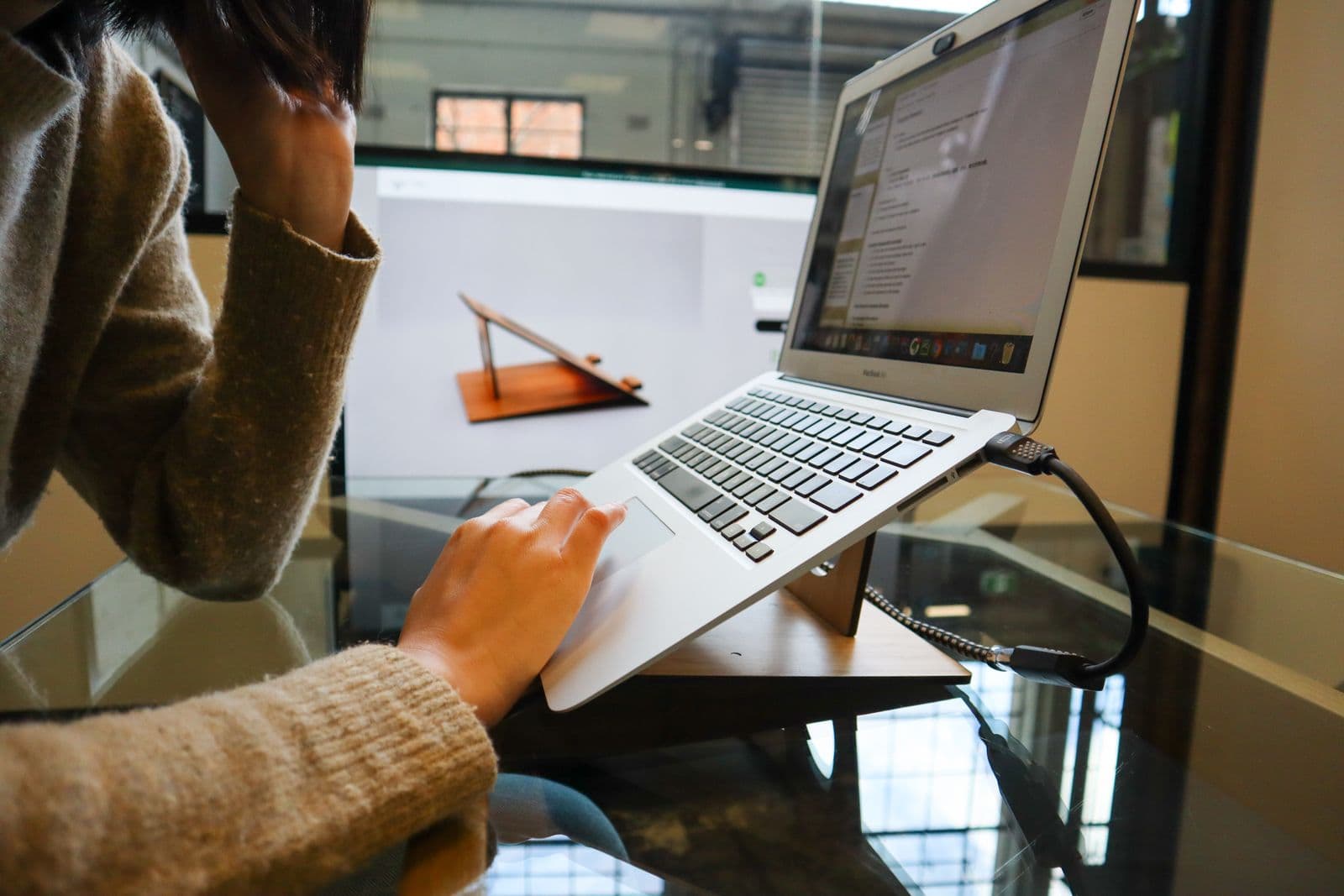
An aluminum stand that folds to roughly the size of a pen and unfolds to a 6.5 to 12.5 inch height range, which covers the gap between a desk-level laptop and actual eye level for most sitting or standing setups. It is the stand to own if the same laptop moves between a home desk, an office and a hotel room in the same week.
We may earn a commission on this link. It never changes the ranking.
- Height range
- 6.5 to 12.5 inches
- Weight
- ~6 oz
- Material
- Aluminum
- Fits
- 12 to 18 inch laptops, up to 22 lb
- Type
- Foldable, travel-oriented
What works
- Packs flat, genuinely pocket-sized when folded
- Height range covers desk-sitting through standing-desk use
- Aluminum build holds a laptop's weight without flexing
- Wide compatibility across laptop sizes
What to know
- Premium price for what is mechanically a folding frame
- No cable routing or cooling features
- Still requires an external keyboard and mouse at height
- Tallest setting can feel tall on a low desk
Wrong for you if the laptop never leaves one desk. A fixed riser costs less and does the same job for a setup that never moves.
Rain Design mStand

Rain Design mStand
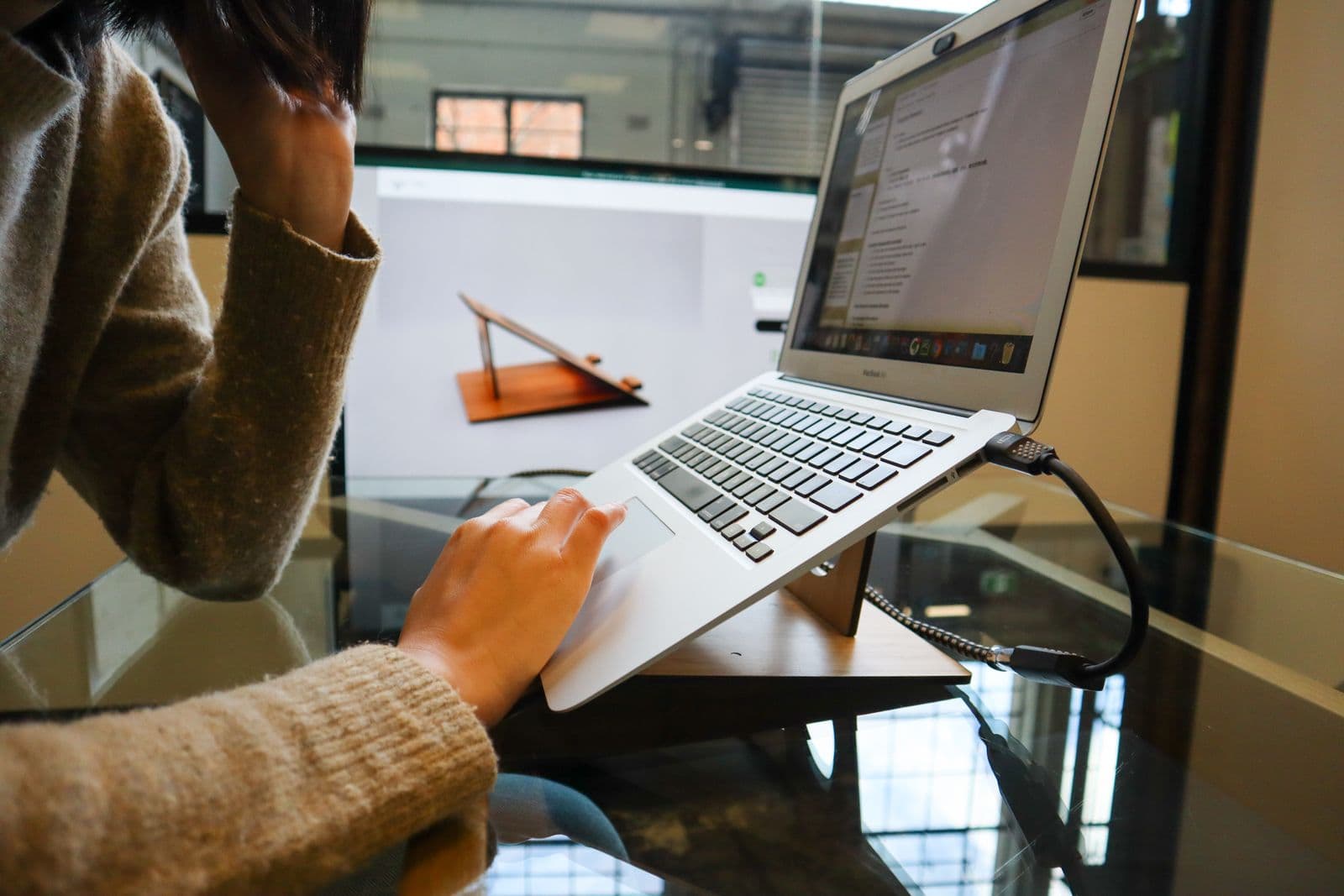
A single piece of curved aluminum with no moving parts, raising the screen a fixed 5.9 inches. That fixed height is the whole appeal: measure your desk-to-eye-level gap once, buy the stand that closes it, and there is nothing to adjust or break afterward.
We may earn a commission on this link. It never changes the ranking.
- Height
- 5.9 inches, fixed
- Material
- Solid aluminum
- Cable routing
- Built-in routing channel
- Fits
- Most 13 to 15 inch laptops
- Type
- Stationary riser
What works
- No moving parts to loosen or fail over time
- Doubles as a heat sink for the laptop base
- Cable routing channel keeps the desk tidy
- Lower price than an adjustable stand
What to know
- Fixed 5.9 inch height either fits your setup or it does not
- Not portable in any practical sense
- Wrong height means buying a second stand, not adjusting this one
- Still needs an external keyboard and mouse
Wrong for you if you have not measured whether 5.9 inches actually closes your eye-level gap. On a very low desk it can under-shoot. On a very high one, it can over-shoot.
Twelve South Curve

Twelve South Curve
A fixed aluminum stand built around the same idea as the mStand, sized and marketed specifically around getting the webcam to a flattering, eye-level angle for calls rather than for typing-heavy work. If most of your day is meetings rather than documents, the framing this buys is a real, separate benefit from the posture fix.
We may earn a commission on this link. It never changes the ranking.
- Height
- ~5.8 inches, fixed
- Material
- Aluminum
- Weight
- ~1.43 lb
- Fits
- Laptops 10.2 inches wide and up, to 7 lb
- Type
- Stationary riser
What works
- Purpose-built for a flattering webcam angle on calls
- Solid, non-adjustable build with nothing to loosen
- Doubles as passive cooling for the laptop chassis
- Compact footprint on a shared desk
What to know
- Fixed height, same limitation as any non-adjustable riser
- 7 lb weight cap excludes some larger laptops
- No cable routing channel
- Priced similarly to more flexible options
Wrong for you if your laptop is a heavier 16-inch model near or above 7 lb. Check the weight before ordering, not just the footprint.
Lamicall Adjustable Laptop Stand

Lamicall Adjustable Laptop Stand
An adjustable aluminum stand covering roughly 5.7 to 8.1 inches of height and 45 to 180 degrees of angle, at well under half the price of the travel-folding options above. It will not pack as flat as the Roost, but for a desk that stays put, it is the cheapest route to an eye-level fix that still adjusts.
We may earn a commission on this link. It never changes the ranking.
- Height range
- ~5.7 to 8.1 inches
- Angle range
- 45 to 180 degrees
- Material
- Aluminum
- Fits
- 10 to 17.3 inch laptops
- Type
- Foldable, budget-adjustable
What works
- Lowest price of the adjustable options here
- Angle adjustment on top of height, useful for glare
- Ventilated platform for passive cooling
- Wide laptop size compatibility
What to know
- Shorter maximum height than the Roost, may not clear a very low desk
- Folds smaller than a fixed riser but larger than the Roost
- Lighter-duty hinge than the premium options
- Still needs an external keyboard and mouse
Wrong for you if the desk is very low and you need the taller end of a height range. The Roost's 12.5 inch ceiling reaches further.
Which one
Travels between desks or homes weekly: the Roost V3. The fold-flat size is the entire reason to pay its price.
One laptop, one desk, never moves: the mStand. Measure the gap to eye level once and buy the fixed height that closes it.
Video calls are most of the day: the Twelve South Curve, for the camera angle it buys alongside the neck angle.
Budget-adjustable, desk stays put: the Lamicall. Cheapest way to get height and angle adjustment together.
Whichever one you pick, it does nothing on its own. Where the keyboard and mouse sit matters as much as where the screen sits, because raising the screen without adding a separate keyboard just moves the wrist problem to replace the neck problem. If you run two monitors instead of a laptop screen, the same eye-level math applies to whichever screen you look at most. And if the whole setup started because your neck already hurts from looking down at a laptop, that piece covers what to fix first before you spend money on a stand.
For anyone tempted to skip the stand and just prop the laptop on a stack of books: that works for height. It does nothing for the keyboard problem, and the full desk setup guide covers why the two have to be solved together.
Questions people actually ask
Do laptop stands actually help posture?
They fix one specific thing: the angle between your eyes and the screen. Hansraj (2014) modeled sharply rising load on the cervical spine as the head tips forward, and a laptop used flat on a desk routinely sits in that higher-load range. A stand closes that gap, but only if paired with an external keyboard and mouse, since raising the built-in keyboard with the screen creates a new wrist problem.
How high should I raise my laptop screen?
CCOHS guidance puts the center of the screen at roughly 15 degrees below horizontal eye level, inside a comfortable zone of plus or minus 15 degrees. Sit in your normal position, look straight ahead, and the top of the screen should land at or just below where your eyes naturally point.
Do I need an external keyboard with a laptop stand?
Yes, in every practical case. A stand raises the whole laptop, screen and keyboard together, which puts the built-in keyboard well above a comfortable typing height. Pair any stand here with a separate keyboard and mouse at elbow height, not the laptop's own keys.
Fixed riser or adjustable laptop stand?
A fixed riser like the mStand or the Curve is cheaper and has nothing to loosen over time, and it is the right call for one laptop that lives on one desk. An adjustable stand costs more but earns it back the moment the same laptop moves between desks, chairs, or people of different heights.
Will any laptop stand fit my laptop?
Check the weight rating and width, not just the marketing size range. The Twelve South Curve caps out at 7 lb, which excludes some larger 16-inch laptops, while the others here run to double-digit pounds. Weigh your laptop before ordering a fixed-height stand you cannot exchange for a bigger one.
Sources
- Hansraj KK, "Assessment of Stresses in the Cervical Spine Caused by Posture and Position of the Head," Surgical Technology International, 2014;25:277-9. PubMed 25393825
- CCOHS: Office Ergonomics — Positioning the Monitor
- OSHA Computer Workstations eTool: Monitors
As an Amazon Associate we earn from qualifying purchases. We earn a commission on some links, at no extra cost to you. It never changes which products we recommend or how they score. Full disclosure

Who wrote this
Editor, hardware and workstation geometry
Ellis Warner edits A Better Posture and writes the hardware side of it: desks, chairs, monitor arms and the measurements that decide whether any of them help. He reads the specification sheet, the warranty and the returns policy in full before he reads a single review, because that is where the differences between two apparently identical products actually live.
More from EllisThe standard
How this guide was built
- Manufacturer specification sheets and warranty terms, read in full rather than summarised from a listing.
- Published clinical trials and standards bodies where they exist, cited by name and linked.
- Owner reports at volume, including the one-star reviews, which is where failure modes live.
- Every price checked against the live listing on the date printed beside it.