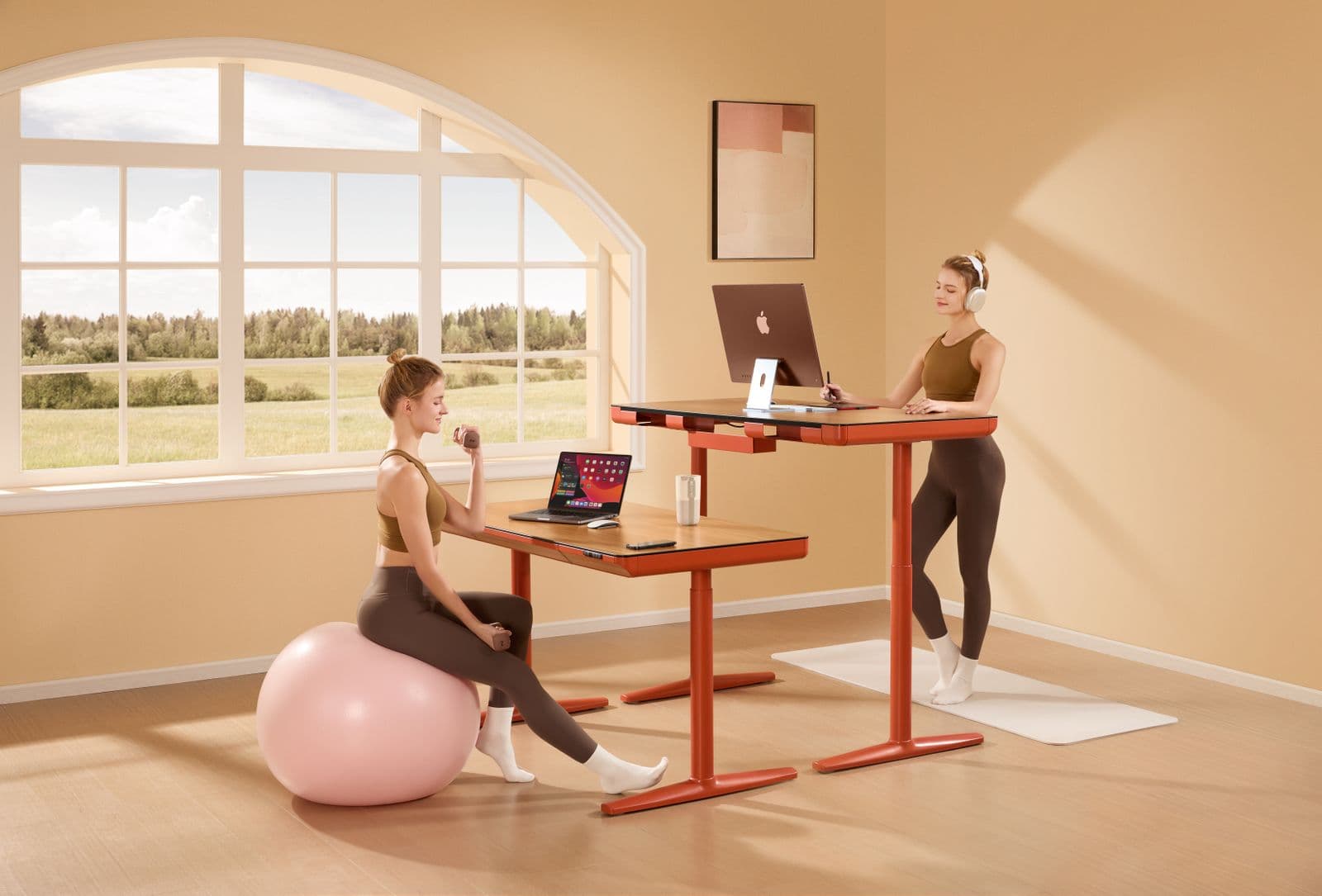
Standing Desk vs Posture Corrector: What Each One Actually Changes
One changes how much you sit. The other changes what your shoulders do for two hours. They are not competing purchases, and the trial data shows why.
By Ellis Warner, editor, hardware and workstation geometry
Published Aug 14, 2026 · 10 min read
- Updated August 14, 2026
- 10 min read
In this guide
This comparison gets framed as a budget question. You have $500 and an upper back that aches by mid-afternoon, so do you buy the desk or the brace?
Framed that way it is unanswerable, because the two products change different variables. The trial evidence for each is about a different outcome entirely. Once you line the numbers up, the choice usually makes itself, and for a decent number of people the answer is neither.
What the desk changes: sitting time, reliably
The randomized trial worth reading here ran for eight weeks with 47 office workers, published in BMC Public Health in 2015. Half got a sit-stand workstation, half carried on as normal.
The behavioural result was clear. Sitting dropped by 80.2 minutes per 8-hour workday relative to controls (95% CI −129.0 to −31.4, p = 0.002), and standing rose by 72.9 minutes (95% CI 21.2 to 124.6, p = 0.007). Walking did not change, which makes sense: a desk that goes up does not make you go anywhere.
The discomfort result was softer and more honest than the marketing. Upper back discomfort showed a likely beneficial reduction at p = 0.096. Neck and shoulder was possibly beneficial at p = 0.155. Lower back was unclear. The authors' summary is that there were no harmful changes, which is a careful way of saying the pain case is not proven.
And one number the ads never quote: 33% of participants reported more back pain on the days they used the workstation.
That last figure is not a reason to avoid a standing desk. It is a reason to understand what you are buying. Standing badly for four hours hurts in a different place than sitting badly for eight.
What the brace changes: muscle load, while you wear it
The comparable trial on the brace side is a 2023 crossover study in Healthcare: 30 healthy students, 30 minutes of typing braced, 30 minutes unbraced.
Lower trapezius activity dropped significantly with the brace on (p = 0.008). Forward shoulder angle improved from 52.0 to 45.5 degrees, which did not reach significance. Pain and exertion rose during typing in both conditions, with no meaningful difference between them.
Put the two side by side and the comparison stops being a versus.
| Sit-stand desk | Posture corrector | |
|---|---|---|
| What is proven to change | Sitting time, by about 80 min per workday | Trapezius muscle activity while worn |
| Evidence on pain | Mixed. Upper back trended better, lower back unclear | No significant change over a 30-minute task |
| Effect when not using it | None. It is a behaviour tool | None measured. No follow-up exists |
| Typical spend | $250 to $600 for a full desk | $25 to $100 |
| Main failure mode | You stop raising it after week three | You wear it all day and the muscles stop working |
| Who it suits | Anyone whose whole day is one static position | Achy upper back in the afternoon, used in short doses |
The spec that decides whether a standing desk helps your posture
Height range. Not motor count, not memory presets, not the finish on the top.
A standing desk fixes posture only if it can put your keyboard at your standing elbow height and your monitor near eye level. OSHA's workstation guidance puts the top of the monitor at or slightly below eye level, with the centre of the screen 15 to 20 degrees below horizontal eye level, at a viewing distance of 20 to 40 inches. If the desk cannot reach the height that geometry requires for your body, the desk cannot deliver the outcome, whatever else it does well.
This is where the budget models quietly fail tall people. A frame with a 27.2 inch minimum is also a frame that tops out lower, and standing elbow height for someone over about 6 feet 2 lands close to or past the ceiling of the cheaper frames.
Measure before you shop. Stand up, let your arms hang, bend the elbows to 90 degrees, and have someone measure floor to elbow. That number is roughly where the keyboard surface needs to be when you stand. Then check it against the max height of the desk you are considering, remembering that a keyboard sitting on the desktop adds an inch or so. The full measuring method covers the seated number too, which is the one people skip and then regret.
The two desks I would compare first
The two frames below are the ones I would put head to head first, chosen for height range against price.

FlexiSpot E6 Max Standing Desk
A 3-stage dual-motor frame, which is what buys you the wide height range this whole comparison turns on. The extra leg stage lets it drop lower and rise higher than a 2-stage budget frame, so it covers the geometry at both ends of the height distribution.
We may earn a commission on this link. It never changes the ranking.
- Type
- Electric sit-stand desk, dual motor
- Legs
- 3-stage, wider travel than 2-stage frames
- Control
- Programmable height presets
- Buy on
- Its max and min height against your elbow measurement
- Best for
- Users the cheaper 2-stage frames top out on
What works
- 3-stage legs give more height range than a 2-stage frame at a similar price
- Dual motors raise and lower smoothly under a two-monitor load
- Height presets make switching sit to stand a one-touch habit rather than a chore
What to know
- A wide range is wasted if a cheaper frame already reaches your numbers
- Assembly of a full frame and top takes the better part of an hour
- Heavier tops still want a second pair of hands to fit

FEZIBO Electric Standing Desk
Cheapest credible route to the 80-minutes-less-sitting outcome, provided its height range brackets your standing elbow height. Check that first, because a budget 48-inch desk is built to a price and the range is where the corner usually gets cut.
We may earn a commission on this link. It never changes the ranking.
- Type
- Electric sit-stand desk with storage drawers
- Size
- 48 by 24 inch top
- Control
- Height presets
- Buy on
- Minimum height if you are shorter than average
- Best for
- Average-height users on a budget
What works
- Among the cheapest dual-function frames that still include height presets
- Built-in drawers add storage a bare frame does not
- Small enough footprint at 48 by 24 for most home setups
What to know
- A budget frame's minimum height can sit too high for shorter users to sit correctly
- Lighter capacity than a heavy commercial frame, thin past two monitors
- A pressed top is not the solid-core surface a premium desk ships
When the answer is neither
Three situations where spending nothing beats both products.
Your monitor is a laptop screen on the desk surface. No desk height and no shoulder strap fixes a screen 14 inches below eye level, because your neck flexes to meet the screen regardless of what the rest of you is doing. A $30 stand and an external keyboard change more than either purchase here.
Your chair does not fit you. If your feet dangle or your knees sit above your hips, your pelvis rolls back and your upper back rounds to compensate. Correcting the top of that chain with a strap while the bottom is wrong is a losing arrangement.
You already own a sit-stand desk and stopped using it. The trial measured an 80-minute behaviour change from people who had the desk and used it. A second product does not fix a habit problem, and the schedule that actually held up over twelve months asks for considerably less standing than most people attempt in week one.
The bottom line
If you sit for eight hours in one position, the desk is the purchase that moves more, because it is the one with a reliably measured effect on the thing that is hurting you: continuous time in a single posture. Buy on height range against your own elbow measurement, and treat memory presets as a nice extra.
If your problem is a specific afternoon ache across the top of the back, the brace is the cheaper experiment and the evidence for what it does mechanically is real, as long as you use it in short doses rather than all day. The current shelf is covered here.
And if you were about to buy either one while a laptop screen sits flat on your desk, fix that first. It costs $30 and it is the largest single change available to most desk workers.
Questions people actually ask
Does a standing desk reduce back pain?
The evidence is mixed. In the 8-week randomized trial, upper back discomfort trended better (p = 0.096) and neck and shoulder possibly better (p = 0.155), while the lower back result was unclear and 33% of participants reported more back pain on workstation days. What the trial did show clearly was 80 fewer minutes of sitting per workday.
Can I use a posture corrector and a standing desk together?
Yes, and they do not conflict. The desk changes how long you hold any one position, the brace changes shoulder load while worn. Keep brace sessions short regardless of what the desk is doing.
What height should my standing desk be?
Keyboard surface at roughly your standing elbow height, measured with your arms hanging and elbows at 90 degrees. Then set the monitor so the top of the screen is at or slightly below eye level, with the screen centre 15 to 20 degrees below horizontal, at 20 to 40 inches of viewing distance.
Is a $449 standing desk good enough?
For most people at average height, yes. The trade-offs at that price are the height range at the extremes and the warranty on the desktop. Check the minimum and maximum height against your own measurements before the price decides for you.
How long should I stand each day?
The trial participants added about 73 minutes of standing per workday and that was enough to shift their sitting time meaningfully. Build up rather than jumping to four-hour blocks, since the participants who fared worse were feeling it in the lower back and feet.
Sources
- Healy et al., "Evaluation of sit-stand workstations in an office setting: a randomised controlled trial", BMC Public Health, 2015. PMC4653846
- Kim et al., "Effects of Using a Shoulder/Scapular Brace on the Posture and Muscle Activity of Healthy University Students during Prolonged Typing", Healthcare (Basel), 2023. PMC10252399
- OSHA Computer Workstations eTool, monitor placement guidance. osha.gov
As an Amazon Associate we earn from qualifying purchases. We earn a commission on some links, at no extra cost to you. It never changes which products we recommend or how they score. Full disclosure

Who wrote this
Editor, hardware and workstation geometry
Ellis Warner edits A Better Posture and writes the hardware side of it: desks, chairs, monitor arms and the measurements that decide whether any of them help. He reads the specification sheet, the warranty and the returns policy in full before he reads a single review, because that is where the differences between two apparently identical products actually live.
More from EllisThe standard
How this guide was built
- Manufacturer specification sheets and warranty terms, read in full rather than summarised from a listing.
- Published clinical trials and standards bodies where they exist, cited by name and linked.
- Owner reports at volume, including the one-star reviews, which is where failure modes live.
- Every price checked against the live listing on the date printed beside it.